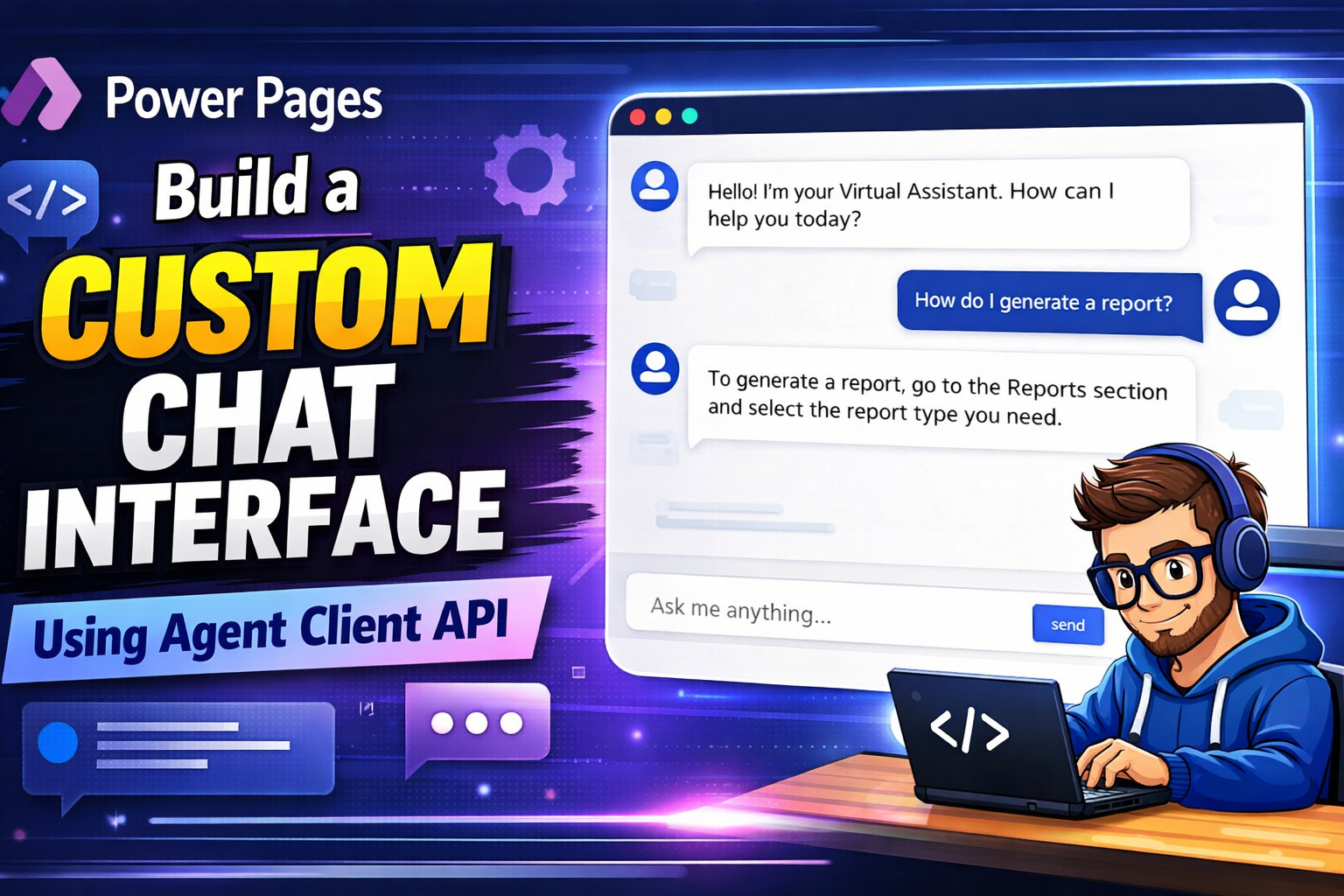
Create a Custom Chat Interface Using Agent Client API
Creating a Custom Chat Interface Using Agent Client API
This article explains how to build a fully customized chat interface for a Power Pages website using the Agent Client API. Instead of using the default chat widget provided by Power Pages, this method allows developers to design their own chat UI, styling, and user experience while still connecting to the site agent.
The process mainly involves creating a site agent, designing a custom webpage for the chat interface, hiding the default widget, and testing the conversation functionality.
1. Create a Site Agent
The first step is to create and configure a site agent in Power Pages.
To do this, sign in to Power Pages and open the site in Edit mode. Navigate to the Set Up workspace and select Agents. Enable the Site Agent toggle to create an agent for the website.
After provisioning is complete, Power Pages automatically creates an agent with the site name followed by “bot.” This agent will appear in the list of agents.
Next:
- Select the three-dot menu next to the new agent.
- Click Edit to configure the agent.
- Keep Show in Chat Widget enabled so users can interact with it.
- Assign the Administrator role or other roles that should be allowed to use the agent.
- Copy the agent schema name, which will be required later in the custom chat code.
Finally, save the configuration.
This agent acts as the AI assistant backend that will respond to chat messages sent from the custom interface.
2. Create a Custom Webpage for the Chat Interface
After creating the agent, the next step is to build a custom webpage that will host the chat interface.
Open the Power Pages Design Studio and navigate to the Pages workspace.
Then:
- Select + Page.
- Choose Other ways to add a page.
- Enter the page name “Virtual Assistant.”
- Select Start from blank layout.
- Click Add.
Once the page is created, open Edit Code in the top-right corner and choose Open Visual Studio Code for the Web.
<div class="row sectionBlockLayout text-start" style="min-height:auto;padding:8px">
<div class="container" style="display:flex;flex-wrap:wrap">
<div class="col-lg-12 columnBlockLayout" style="padding:0;margin:0;min-height:200px">
<style>
#va-shell {
--accent: #0f6cbd;
--accent-dk: #0c57a8;
--bg: #f5f7fa;
--bot-bg: #f0f4f9;
--fg: #1b2333;
--border: #e2e8f0;
display: flex;
flex-direction: column;
max-width: 860px;
height: calc(100vh - 150px);
min-height: 480px;
margin: 20px auto;
background: #fff;
border-radius: 16px;
box-shadow: 0 4px 24px rgba(0, 0, 0, .10);
border: 1px solid var(--border);
overflow: hidden;
font: 15px/1.55 -apple-system, BlinkMacSystemFont, "Segoe UI", sans-serif;
color: var(--fg);
}
/* Transcript */
#va-transcript {
flex: 1;
min-height: 0;
overflow-y: auto;
padding: 20px;
background: var(--bg);
display: flex;
flex-direction: column;
gap: 4px;
scroll-behavior: smooth;
}
#va-transcript::-webkit-scrollbar {
width: 6px;
}
#va-transcript::-webkit-scrollbar-thumb {
background: #c8d0db;
border-radius: 3px;
}
/* Message rows */
.msg {
display: flex;
align-items: flex-end;
gap: 8px;
max-width: 78%;
animation: fadeUp .18s ease-out;
}
.msg.user {
flex-direction: row-reverse;
align-self: flex-end;
}
.msg.bot,
.msg.error {
align-self: flex-start;
}
@keyframes fadeUp {
from {
opacity: 0;
transform: translateY(6px);
}
to {
opacity: 1;
transform: none;
}
}
.bot-icon {
width: 28px;
height: 28px;
border-radius: 50%;
background: var(--accent);
color: #fff;
display: grid;
place-items: center;
flex-shrink: 0;
}
.bot-icon svg {
width: 14px;
height: 14px;
}
.bubble {
padding: 10px 14px;
border-radius: 10px;
word-break: break-word;
}
.user .bubble {
background: var(--accent);
color: #fff;
border-bottom-right-radius: 3px;
}
.bot .bubble {
background: var(--bot-bg);
border-bottom-left-radius: 3px;
}
.error .bubble {
background: #fef2f2;
color: #b91c1c;
border: 1px solid #fca5a5;
border-bottom-left-radius: 3px;
}
.bubble p {
margin: 0 0 .5em;
}
.bubble p:last-child {
margin: 0;
}
.bubble strong {
font-weight: 600;
}
.bubble code {
font-family: Consolas, monospace;
font-size: .88em;
background: rgba(0, 0, 0, .08);
padding: 1px 5px;
border-radius: 4px;
}
.user .bubble code {
background: rgba(255, 255, 255, .2);
}
.bubble pre {
background: #1e293b;
color: #e2e8f0;
padding: 12px;
border-radius: 8px;
overflow-x: auto;
margin: 8px 0;
font-size: .85em;
}
.bubble pre code {
background: none;
padding: 0;
}
.bubble a {
color: inherit;
text-decoration: underline;
text-underline-offset: 2px;
}
.bubble ul,
.bubble ol {
margin: 6px 0;
padding-left: 20px;
}
.ts {
font-size: 11px;
opacity: .5;
margin-top: 4px;
display: block;
}
.user .ts {
text-align: right;
}
/* Typing indicator */
#va-typing {
display: none;
align-items: flex-end;
gap: 8px;
align-self: flex-start;
padding-bottom: 4px;
}
#va-typing.show {
display: flex;
animation: fadeUp .18s ease-out;
}
#va-dots {
background: var(--bot-bg);
border-radius: 10px;
border-bottom-left-radius: 3px;
padding: 12px 16px;
display: flex;
gap: 5px;
}
.dot {
width: 7px;
height: 7px;
border-radius: 50%;
background: #94a3b8;
animation: bounce 1.2s infinite;
}
.dot:nth-child(2) {
animation-delay: .2s;
}
.dot:nth-child(3) {
animation-delay: .4s;
}
@keyframes bounce {
0%,
60%,
100% {
transform: translateY(0);
opacity: .5;
}
30% {
transform: translateY(-5px);
opacity: 1;
}
}
/* Date divider */
.divider {
display: flex;
align-items: center;
gap: 10px;
color: #94a3b8;
font-size: 12px;
margin: 10px 0 6px;
user-select: none;
}
.divider::before,
.divider::after {
content: '';
flex: 1;
height: 1px;
background: var(--border);
}
/* Composer */
#va-composer {
padding: 12px 16px 10px;
background: #fff;
border-top: 1px solid var(--border);
flex-shrink: 0;
}
#va-wrap {
display: flex;
align-items: flex-end;
gap: 8px;
background: var(--bg);
border: 1.5px solid var(--border);
border-radius: 12px;
padding: 8px 8px 8px 14px;
transition: border-color .15s, box-shadow .15s;
}
#va-wrap:focus-within {
border-color: var(--accent);
box-shadow: 0 0 0 3px rgba(15, 108, 189, .12);
}
#va-input {
flex: 1;
border: none;
background: none;
outline: none;
resize: none;
font: inherit;
color: inherit;
max-height: 160px;
overflow-y: auto;
}
#va-input::placeholder {
color: #94a3b8;
}
#va-input:disabled {
opacity: .55;
}
#va-send {
width: 38px;
height: 38px;
border-radius: 9px;
border: none;
background: var(--accent);
color: #fff;
cursor: pointer;
display: grid;
place-items: center;
flex-shrink: 0;
transition: background .15s, transform .1s, opacity .15s;
}
#va-send:hover:not(:disabled) {
background: var(--accent-dk);
transform: scale(1.05);
}
#va-send:disabled {
opacity: .4;
cursor: not-allowed;
}
#va-hint {
margin: 6px 0 0;
font-size: 12px;
color: #94a3b8;
text-align: center;
}
#va-hint kbd {
background: #f1f5f9;
border: 1px solid #cbd5e1;
border-radius: 4px;
padding: 1px 5px;
font-size: 11px;
font-family: inherit;
color: #475569;
}
@media (max-width: 640px) {
#va-shell {
height: 100svh;
min-height: unset;
margin: 0;
border-radius: 0;
border-inline: none;
}
.msg {
max-width: 92%;
}
#va-hint {
display: none;
}
}
</style>
<div id="va-shell">
<main id="va-transcript" role="log" aria-live="polite" aria-label="Chat transcript">
<div id="va-typing" role="status" aria-label="Assistant is typing">
<div class="bot-icon" aria-hidden="true">
<svg viewBox="0 0 24 24" fill="currentColor">
<path d="M12 2C6.48 2 2 6.48 2 12s4.48 10 10 10 10-4.48 10-10S17.52 2 12 2zm-1 15v-4H7l5-8v4h4l-5 8z" />
</svg>
</div>
<div id="va-dots" aria-hidden="true">
<span class="dot"></span><span class="dot"></span><span class="dot"></span>
</div>
</div>
</main>
<footer id="va-composer">
<div id="va-wrap">
<textarea id="va-input" placeholder="Ask me anything…" rows="1" maxlength="4000" spellcheck="true"
aria-label="Message input"></textarea>
<button id="va-send" type="button" aria-label="Send message" disabled>
<svg viewBox="0 0 24 24" width="20" height="20" fill="currentColor">
<path d="M2.01 21L23 12 2.01 3 2 10l15 2-15 2z" />
</svg>
</button>
</div>
<p id="va-hint">Press <kbd>Enter</kbd> to send · <kbd>Shift</kbd>+<kbd>Enter</kbd> for new line
· <kbd>Ctrl</kbd>+<kbd>N</kbd> for new conversation</p>
</footer>
</div>
<script>
(function () {
'use strict';
const AGENT_SCHEMA = '<Replace agent schema name>';
const WELCOME = "Hello! I'm your Virtual Assistant. How can I help you today?";
let msgs = [], busy = false;
const el = id => document.getElementById(id);
const transcript = el('va-transcript');
const input = el('va-input');
const sendBtn = el('va-send');
const typing = el('va-typing');
/* ── Safe markdown renderer ── */
const md = (() => {
const esc = s => s.replace(/&/g, '&').replace(/</g, '<').replace(/>/g, '>').replace(/"/g, '"');
const href = u => { try { return /^https?:|mailto:/.test(new URL(u).protocol) ? esc(u) : '#'; } catch { return '#'; } };
const span = s => s
.replace(/`([^`]+)`/g, (_, c) => `<code>${c}</code>`)
.replace(/\*\*(.+?)\*\*/g, (_, t) => `<strong>${t}</strong>`)
.replace(/\*(.+?)\*/g, (_, t) => `<em>${t}</em>`)
.replace(/\[([^\]]+)\]\(([^)]+)\)/g, (_, l, u) => `<a href="${href(u)}" target="_blank" rel="noopener">${l}</a>`);
return {
esc, render: raw => {
if (!raw) return '';
const blocks = [];
const src = raw.replace(/\r\n/g, '\n')
.replace(/```(\w*)\n?([\s\S]*?)```/g, (_, l, c) => (blocks.push({ l, c }), `\x00${blocks.length - 1}\x00`));
let html = '', list = [], lt = '';
const flush = () => {
if (!list.length) return;
html += `<${lt}>${list.map(i => `<li>${span(i)}</li>`).join('')}</${lt}>`;
list = []; lt = '';
};
src.split('\n').forEach(line => {
if (/^\x00\d+\x00$/.test(line)) {
flush();
const { l, c } = blocks[+line.replace(/\x00/g, '')];
html += `<pre><code${l ? ` class="language-${esc(l)}"` : ''}>${esc(c)}</code></pre>`;
return;
}
const ul = line.match(/^[*-] (.+)/);
const ol = line.match(/^\d+\. (.+)/);
if (ul) { if (lt && lt !== 'ul') flush(); lt = 'ul'; list.push(ul[1]); return; }
if (ol) { if (lt && lt !== 'ol') flush(); lt = 'ol'; list.push(ol[1]); return; }
flush();
const h = line.match(/^(#{1,3}) (.+)/);
if (h) { const n = h[1].length + 2; html += `<h${n}>${span(h[2])}</h${n}>`; return; }
if (/^(-{3,}|\*{3,})$/.test(line.trim())) { html += '<hr>'; return; }
html += line.trim() ? `<p>${span(line)}</p>` : '<br>';
});
flush();
return html.replace(/(<br>){2,}/g, '<br>');
}
};
})();
/* ── Render a message bubble ── */
function bubble(msg) {
const row = document.createElement('div');
row.className = `msg ${msg.role}`;
const plain = msg.role === 'user' || msg.role === 'error' || msg.format === 'plain';
const content = plain
? `<p>${md.esc(msg.text).replace(/\n/g, '<br>')}</p>`
: md.render(msg.text);
const icon = `<div class="bot-icon" aria-hidden="true"><svg viewBox="0 0 24 24" fill="currentColor"><path d="M12 2C6.48 2 2 6.48 2 12s4.48 10 10 10 10-4.48 10-10S17.52 2 12 2zm-1 15v-4H7l5-8v4h4l-5 8z"/></svg></div>`;
const d = new Date(msg.time);
const h = d.getHours() % 12 || 12;
const ts = `${h}:${String(d.getMinutes()).padStart(2, '0')} ${d.getHours() < 12 ? 'AM' : 'PM'}`;
row.innerHTML = `${msg.role !== 'user' ? icon : ''}<div class="bubble">${content}<time class="ts">${ts}</time></div>`;
transcript.insertBefore(row, typing);
transcript.scrollTop = transcript.scrollHeight;
}
function addDivider() {
const d = document.createElement('div');
d.className = 'divider';
d.textContent = new Date().toLocaleDateString([], { weekday: 'long', month: 'long', day: 'numeric' });
transcript.insertBefore(d, typing);
}
/* ── State helpers ── */
const setBusy = b => { busy = b; input.disabled = b; sendBtn.disabled = b || !input.value.trim(); };
const showTyping = () => { typing.classList.add('show'); transcript.scrollTop = transcript.scrollHeight; };
const hideTyping = () => { typing.classList.remove('show'); };
/* ── Send ── */
function send() {
const text = input.value.trim();
if (!text || busy) return;
msgs.push({ role: 'user', text, format: 'plain', time: new Date() });
bubble(msgs[msgs.length - 1]);
input.value = ''; resize(); setBusy(true); showTyping();
if (typeof window.$pages?.agent?.SendActivity !== 'function') {
console.error('[VA] $pages.agent.SendActivity not available. Add the Agent component to this page in Power Pages Studio.');
return onError({ message: '$pages.agent not available' });
}
try {
window.$pages.agent.SendActivity(AGENT_SCHEMA, { text }, onResponse, onError);
} catch (e) { console.error('[VA]', e); onError(e); }
}
function onResponse(r) {
hideTyping(); setBusy(false);
if (!r || r.type !== 'message' || !r.text) return;
const m = { role: 'bot', text: r.text, format: (r.textFormat || 'markdown').toLowerCase(), time: new Date() };
msgs.push(m); bubble(m); input.focus();
}
function onError(e) {
console.error('[VA] Agent error:', e);
hideTyping(); setBusy(false);
const text = e?.message?.includes('$pages.agent')
? 'The Virtual Assistant integration isn\'t available here. Ensure the Agent component is configured in Power Pages Studio for this page.'
: 'Sorry \u2014 I couldn\'t reach the assistant. Please try again.';
const m = { role: 'error', text, format: 'plain', time: new Date() };
msgs.push(m); bubble(m); input.focus();
}
/* ── Clear chat ── */
function clearChat() {
msgs = [];
Array.from(transcript.children).forEach(c => { if (c !== typing) transcript.removeChild(c); });
addDivider();
const w = { role: 'bot', text: WELCOME, format: 'plain', time: new Date() };
msgs.push(w); bubble(w); input.focus();
}
/* ── Auto-resize textarea ── */
function resize() {
input.style.height = 'auto';
input.style.height = Math.min(input.scrollHeight, 160) + 'px';
}
/* ── Init ── */
sendBtn.addEventListener('click', send);
input.addEventListener('keydown', e => { if (e.key === 'Enter' && !e.shiftKey) { e.preventDefault(); send(); } });
input.addEventListener('input', () => { resize(); sendBtn.disabled = busy || !input.value.trim(); });
document.addEventListener('keydown', e => { if ((e.ctrlKey || e.metaKey) && e.key === 'n') { e.preventDefault(); clearChat(); } });
addDivider();
const w = { role: 'bot', text: WELCOME, format: 'plain', time: new Date() };
msgs.push(w); bubble(w); input.focus();
})();
</script>
</div>
</div>
</div>The article provides a large HTML template that replaces the default page code. This code creates a fully designed chat interface with modern styling and interactive features.
3. Custom Chat Interface Design
The provided code builds a professional chat interface using HTML, CSS, and JavaScript.
The interface includes several components:
Chat Shell
The chat container acts as the main interface layout. It includes a responsive design with:
- Rounded card layout
- Shadow effects
- Flexible height
- Mobile responsiveness
This ensures the chat works well on both desktop and mobile devices.
Chat Transcript Area
The transcript section displays the conversation between the user and the assistant.
Features include:
- Scrollable conversation history
- Message bubbles
- Timestamps
- Bot icon for assistant responses
- Date dividers
Messages are visually separated into:
- User messages
- Bot responses
- Error messages
Each message appears with a smooth animation for a better user experience.
Message Styling
The interface uses bubble-style messages similar to modern chat applications.
User messages:
- Right aligned
- Blue background
- White text
Bot messages:
- Left aligned
- Light background
- Neutral colors
Error messages are displayed with red highlighting to clearly indicate issues.
Markdown Support
The JavaScript code includes a safe markdown renderer, allowing the assistant to format responses using:
- Bold text
- Italics
- Code blocks
- Lists
- Links
- Headings
This makes the responses more readable and structured.
Typing Indicator
The interface includes a typing animation that appears while the assistant is generating a response.
Three animated dots simulate a typing indicator, improving the user experience and making the interaction feel more natural.
Message Input Composer
The bottom section of the interface contains the message composer, where users type their questions.
Features include:
- Expandable text area
- Send button
- Keyboard shortcuts
Supported shortcuts:
- Enter – Send message
- Shift + Enter – Add new line
- Ctrl + N – Start a new conversation
The input automatically resizes as the user types.
4. Connecting the Chat Interface to the Agent
The chat interface communicates with the Power Pages agent using the Agent Client API.
The key JavaScript method used is:
$pages.agent.SendActivity
This function sends the user’s message to the configured site agent and receives a response.
The process works as follows:
- The user types a message and presses Send.
- The message is added to the chat transcript.
- The message is sent to the agent using the agent schema name.
- The agent processes the request and generates a response.
- The response is displayed in the chat interface.
Developers must replace the placeholder variable:
const AGENT_SCHEMA = '<Replace agent schema name>';
with the schema name copied earlier from the agent configuration.
5. Error Handling
The script includes error handling to ensure the system behaves properly if something goes wrong.
If the agent connection fails, the interface shows messages such as:
- The assistant is unavailable.
- The agent integration is not configured.
- The request failed.
This helps users understand when the system cannot respond.
6. Save and Sync the Code
After updating the AGENT_SCHEMA value and pasting the code:
- Save the file in Visual Studio Code for the Web.
- Return to the Power Pages Designer.
- Click Sync when prompted.
This publishes the code changes to the Power Pages site.
7. Hide the Default Chat Widget
Since the custom chat interface replaces the default widget, the floating chat widget must be hidden to avoid duplicate interfaces.
This is done by adding CSS in the Header Template:
.pva-floating-style {
display: none !important;
}
This ensures only the custom chat interface appears on the page.
8. Test the Chat Interface
Finally, test the assistant functionality.
Steps:
- Click Preview in Power Pages.
- Select Desktop view.
- Sign in using a user account with the assigned role (such as Administrator).
- Navigate to the Virtual Assistant page created earlier.
You should now see the custom chat interface and be able to interact with the site agent.
Final Summary
This approach allows developers to build a fully customized AI chat interface in Power Pages using the Agent Client API. Instead of relying on the default chat widget, developers can create a tailored chat experience with their own design, layout, and features.
The process includes:
- Creating a site agent in Power Pages.
- Building a custom webpage with HTML, CSS, and JavaScript.
- Connecting the interface to the agent using $pages.agent.SendActivity.
- Hiding the default widget.
- Testing the conversation functionality.
This method provides complete flexibility for UI design and user experience, making it ideal for organizations that want a branded or advanced conversational interface on their Power Pages website.