Core Power Apps Concepts | Experience Level
1.How do you design a scalable Power Apps architecture for enterprise-level applications?
To design a scalable Power Apps architecture for enterprise-level applications, it is important to focus on proper planning, performance, and maintainability. First, developers should start with clear requirements to understand the business process, data volume, and expected number of users. Next, choosing the right data source is important; SharePoint can be used for medium-scale applications, while Dataverse is better for large and complex enterprise applications because it supports relational data and better security.
Organizations should also follow a proper environment strategy by using separate environments such as Development, Testing, and Production to support ALM practices. A modular app design should be used instead of building everything in one app, by creating reusable components and component libraries. Developers must ensure delegation and performance optimization so that large datasets are processed efficiently by the data source. Implementing a strong security architecture, such as role-based and field-level security, protects sensitive data. Proper error handling should also be implemented using functions like IfError() and maintaining error logs. Finally, using a CI/CD and DevOps strategy, such as automated deployments with Azure DevOps pipelines, helps manage application updates and ensures smooth deployment across environments.
2.What are named formulas in modern Power Apps?
- Named formulas in modern Microsoft Power Apps are app-level, reusable, declarative formulas that are defined once and can be used throughout the entire application.
- Unlike traditional global variables created using Set() in the OnStart or button events, named formulas do not require manual updates.
- They automatically recalculate whenever their dependent data changes, following a declarative programming model.
- This means you define what the value should be, and Power Apps handles when and how it updates.
- Named formulas are read-only, centrally managed in the App’s Formulas section, and optimized for performance through lazy evaluation, meaning they compute only when needed.
- They improve maintainability, reduce timing issues, prevent unnecessary recalculations, and make large enterprise applications more scalable and easier to manage. In simple terms, named formulas act like intelligent global calculated variables that automatically stay in sync with the app’s data.
3.How do you avoid circular references in complex apps in Microsoft Power Apps?
To avoid circular references in complex apps in Microsoft Power Apps, developers should design formulas so that the data flow moves in one direction (for example A → B → C) and does not loop back to the original formula. A good practice is to follow a layered architecture, where the app has a base data layer, a calculation layer, and a final output layer. This structure helps manage dependencies clearly.
When using named formulas, they should depend only on base data or lower-level formulas to avoid cross-dependencies. Developers should also avoid mixing imperative logic (like Set or UpdateContext) with declarative formulas incorrectly, as it can create hidden dependencies. Complex logic should be broken into smaller independent formulas, and self-referencing calculations should be avoided. In some cases, collections can be used to store static data snapshots, and reviewing the formula dependency flow before implementation helps prevent circular reference errors.
4.What is the difference between calculated columns, rollup columns, and formula columns in Dataverse?
In Dataverse, calculated columns, rollup columns, and formula columns are used to automatically calculate values, but they work in different ways. A Calculated Column calculates its value based on other columns in the same table or sometimes a related parent table. It works at the row level and is calculated in real time when a record is created or updated using a built-in expression editor with conditions like IF logic.
A Rollup Column is used to aggregate data from related child records. It works across relationships such as parent–child tables and supports functions like SUM, COUNT, MIN, MAX, and AVG. Unlike calculated columns, rollup columns are not updated in real time; they are updated through a system job or scheduled calculation, and the value is usually read-only.
A Formula Column is a newer feature that uses Power Fx syntax to perform calculations directly in Dataverse. It supports real-time calculations, can reference related tables, and provides more flexibility compared to calculated columns. Because it uses Power Fx, it is more powerful and modern, and it helps overcome many limitations of traditional calculated columns.
5. What are business rules and when should you use them instead of Power Fx?
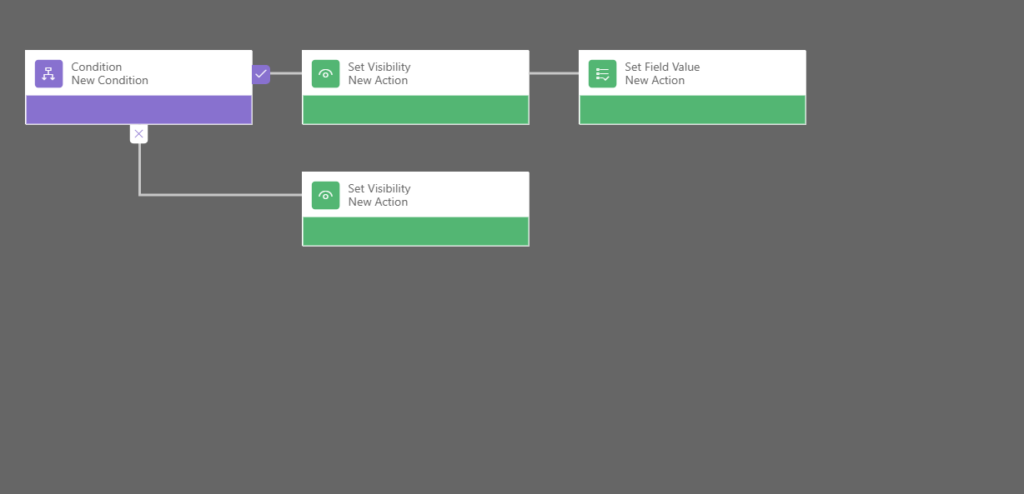
- Business Rules in Microsoft Dataverse are no-code logic components used to apply conditional business logic at the table level without writing Power Fx or JavaScript. They allow you to enforce validations, set default values, make fields mandatory or optional, show or hide fields, enable or disable fields, and display error messages based on defined conditions. Business Rules are created using a visual designer and can run either at the form level or at the server level, which means they can enforce logic not only within a model-driven app but also when data is updated through integrations or APIs. This makes them very useful for maintaining data consistency and ensuring standardized business policies across the system.
- You should use Business Rules instead of Power Fx when the requirement involves simple condition-based validation or field behavior that needs to be applied at the data level rather than only within a specific screen. They are ideal when you want reusable logic across multiple apps, when non-developers need to manage the logic, or when validation must work regardless of how the record is created or updated. However, if the requirement involves complex calculations, dynamic UI behavior, advanced filtering, multi-step logic, or screen-specific interactivity—especially in canvas apps—then Power Fx is more appropriate. In summary, Business Rules are best for enforcing consistent and reusable data-level logic, while Power Fx is better suited for advanced application-level and user interface logic.
6.What are plugins and when are they required?
Plugins in Microsoft Dataverse are custom server-side business logic components written in C# and registered within the Dataverse event execution pipeline. They execute automatically in response to specific data events such as create, update, delete, retrieve, or assign operations on a table. Plugins run securely on the server, which means the logic is enforced regardless of how the data is modified—whether through a model-driven app, canvas app, Power Automate flow, API integration, or external system. Because they execute within the Dataverse pipeline, plugins can run before the data is saved (Pre-operation) or after the data is committed (Post-operation), allowing developers to validate, modify, or extend business logic at a deep system level.
When Are Plugins Required?
1️⃣ When logic must run at the server level, regardless of how the data is modified.
2️⃣ When complex business validation is required before saving a record.
3️⃣ When you need real-time transactional logic across multiple related tables.
4️⃣ When Business Rules or Power Fx are not powerful enough.
5️⃣ When logic must block record saving under certain conditions.
6️⃣ When integrating with external systems during record operations.
7️⃣ When performing advanced calculations or automation that must be secure and centralized.
7.Difference between synchronous and asynchronous plugins?
The difference between synchronous and asynchronous plugins in Dataverse is mainly based on when and how they execute.
A Synchronous Plugin runs in real time as part of the main transaction pipeline when a record is created, updated, or deleted. The system waits for the plugin to finish before completing the operation. If the plugin throws an error, the entire transaction is rolled back and the record will not be saved. Synchronous plugins are mainly used for critical validations, business rules, or logic that must run immediately.
An Asynchronous Plugin runs in the background after the main operation is completed. It is executed by the async service as a system job, so the user does not have to wait for it to finish. Even if the plugin fails, the original record operation is not rolled back. Asynchronous plugins are typically used for non-critical tasks such as sending emails, calling external APIs, or performing long-running operations.
✨ Thanks for reading! ✨
I hope you found this blog on the Microsoft Power Platform helpful! From Power Apps, Power Automate (Cloud & Desktop), Canvas Apps, Model-driven Apps, Power BI, Power Pages, SharePoint, Dynamics 365 (D365), Azure, and more, I cover a wide range of topics to help you harness these powerful tools. Don’t miss out on future tips, tutorials, and insights—hit that subscribe button to get the latest posts right to your inbox. 💌
💬 I’d love to hear your thoughts! Drop a comment below with your questions, ideas, or feedback—let’s get the conversation started!
🔗 Let’s connect and grow together!
Follow me, Sanika Thorat, on your favorite platforms for even more content and updates on Microsoft Power Platform and related technologies:
- 💼 LinkedIn – Let’s network and share ideas!
- 💻 GitHub – Explore my projects and code.
- Email Id – thoratsanika98@gmail-com
Let’s build something amazing together with Power Platform and Azure! 🚀
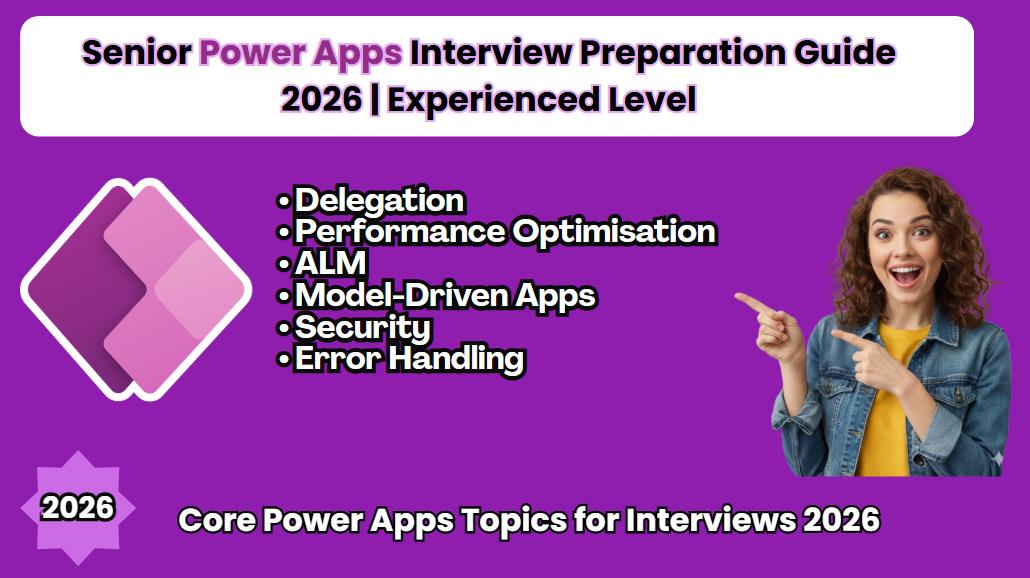
Senior Power Apps Interview Preparation Guide 2026 | Experienced Level
Power Apps Interview Questions 2026
Power Apps Canvas App Tutorial
Power Apps Model-Driven App Guide
Power Apps Copilot Features
Power Apps Code Apps 2026
Power Apps PCF Tutorial
Power Fx Examples
Power Apps Performance Optimization
Power Apps ALM Best Practices
Power Apps vs Model-Driven Apps
Power Apps Interview Questions 2026
Build a Complete Canvas App Step by Step
Power Apps Real Project Demo
Power Apps Mistakes Beginners Make
Thank You
What covered in youtube video
Senior Power Apps Interview Questions
🚀 Preparing for a Senior Power Apps Interview in 2026?
This video covers real-world, experienced-level Power Apps interview questions with practical, architect-level answers.
In this session, I break down one of the most important interview questions:
What is Dataverse?, explained from a Senior Developer perspective, not just theory but real implementation insights used in enterprise projects.
This video is part of my Senior Power Apps Interview Guide – 2026 (Experienced Level) designed specifically for developers working with Power Platform in production environments.
## 🔍 What You’ll Learn in This Video This is not a beginner overview. We focus on real-world concepts interviewers expect from experienced professionals:
✔ Deep understanding of Dataverse architecture
✔ Delegation concepts in Canvas Apps
✔ Performance optimization strategies
✔ Application Lifecycle Management (ALM) best practices
✔ Model-Driven Apps fundamentals
✔ Security architecture (roles, field-level security, business units)
✔ Advanced error handling patterns in Canvas Apps
✔ Real-world enterprise implementation insights
## 🎯 Who Should Watch? Experienced Power Apps Developers Power Platform Consultants Solution Architects Developers preparing for senior-level interviews in 2026 Professionals working with Dataverse, Canvas Apps, and Power Automate ## 💡 Why This Matters At the senior level, interviewers don’t just ask “What is Dataverse?” They expect you to explain: Why Dataverse over SharePoint or SQL How delegation impacts scalability How to design secure and scalable Power Platform solutions How to optimize performance in enterprise apps How ALM strategy works across environments This video helps you answer with confidence, clarity, and technical depth.
Power Apps Interview
Power Apps Interview
Power Apps Interview
Power Apps Interview
Power Apps Interview
Power Apps Interview
Power Apps Interview
Power Apps Interview
Power Apps Interview
Power Apps Interview
Power Apps Interview
Power Apps Interview
Power Apps Interview
Power Apps Interview