Power Apps Interview Questions 2026
1.What is Delegation in Power Apps? Explain with real-time scenarios.
Delegation is the process of offloading the data processing tasks to the data source instead of performing all the operations locally.
Power Apps has a data row limit when processing data locally:
- Default: 500 records
- Max (configurable): 2000 records
If your data source contains 10,000+ records, Power Apps cannot load all records locally due to performance and memory constraints.
That’s where delegation comes in.
Instead of downloading all data, Power Apps sends the query to the server, and the server returns only the required results.
Scenario:
A SharePoint list has 50,000 records.
You build a gallery with:
Filter(Orders, Status = “Completed”)
Because = is delegable:
- Query runs on SharePoint.
- Only completed orders load.
- App remains performant.
If you used:
Filter(Orders, “Complete” in Status)
Delegation improves:
- App load time
- Query speed
- Scalability
- Memory usage
- User experience
Non-delegation causes:
- Slow performance
- Missing records
- App crashes (large data)
2.Explain Patch Function in detail. When do you use Patch and SubmitForm?
The Patch() function in Power Apps is used to create, update, or modify records in a data source manually using formulas.
It gives developers full control over what data gets saved, when it gets saved, and how it gets saved — unlike forms which are automatic.
SubmitForm() is used to save form data to a data source automatically.
It works with Edit Forms in Canvas Apps.
SubmitForm(Form1)
Patch is used for manual, flexible, and partial data operations, whereas SubmitForm is used for automatic form-based record submission with built-in validation.
Use SubmitForm When
✔️ You are using an Edit Form
✔️ Standard CRUD operations
✔️ Need built-in validation
✔️ Working with attachments
✔️ Person/Lookup columns easy handling
✔️ Minimal customization required
Use Patch When
✔️ No form is used
✔️ Updating specific fields only
✔️ Bulk updates required
✔️ Multiple data sources save
✔️ Custom UI (Gallery, Popup, Wizard)
✔️ Conditional updates
✔️ Performance optimization
Real-World Interview Scenario
- Scenario: Expense approval app.
User fills form → SubmitForm()
- Manager bulk approves → Patch + ForAll
- Finance updates payment status →Patch specific column
3.What is ALM in Power Platform?
ALM (Application Lifecycle Management) in the Microsoft Power Platform is the process of managing
an application’s entire lifecycle — from development, testing, deployment, versioning, to
maintenance — in a structured and controlled way.
It ensures that apps built using tools like Microsoft Power Apps, Power Automate, and Dataverse are
deployed safely across environments without breaking functionality.
Key Components and Practices of Power Platform ALM:
- Solutions: The mechanism for transporting components (apps, flows, tables) between
environments. - Environments: Separate spaces (Development, Test, Production) used to isolate development
from live, production-ready systems - Environment Strategy: Planning how to use different environments for development, testing, and
production to reduce risk. - Automation (CI/CD): Using GitHub Actions or Azure DevOps pipelines to automate testing and
deployment, enhancing consistency. - Governance: Ensuring compliance, security, and tracking of changes throughout the application
lifecycle. - Unmanaged vs. Managed Solutions: Using unmanaged solutions for development and
managed solutions for deployment to production, which prevents direct editing in the target
environment
4.How do you handle Performance Optimization in Power Apps?
Performance Optimization in Microsoft Power Apps means improving app speed, reducing load time, minimizing data calls, and ensuring smooth user experience — especially when working with large data sources like Microsoft SharePoint or Microsoft Dataverse.
Use Delegation:- Delegation ensures processing happens at the data source instead of locally.
Use Indexed Columns :- Index frequently filtered columns and Improves query performance significantly.
Reduce Data Loading :- Avoid Loading Data in OnStart. Load data screen-wise. Use OnVisible.
Use Concurrent() :-Loads multiple data sources in parallel. Improves startup speed.
Collection Optimization:- Collections store data locally → Faster UI operations.
Control & UI Optimization :- Limit Controls Per Screen Too many controls = Slow rendering.
Use Components :- Reusable components reduce app size and improve maintainability.
Use With() Function :- Improves readability + avoids recalculation.
5. How do you implement Security in Power Apps?
Performance Optimization in Microsoft Power Apps means improving app speed, reducing load time, minimizing data calls, and ensuring smooth user experience — especially when working with large data sources like Microsoft SharePoint or Microsoft Dataverse.
- Data Source Security – Security starts at the data level (SharePoint, Dataverse, SQL, etc.). Users must have permission to access the data source.
- Dataverse Security Roles – In Dataverse, security roles control Create, Read, Write, Delete, Append, and Share privileges at table level.
- Row-Level Security – Access can be restricted to records owned by the user, team, or business unit.
- Business Units – Used to structure users hierarchically and control data visibility.
- Field-Level Security – Sensitive columns (like salary, financial data) can be hidden or read-only for certain users.
- App Sharing – Canvas apps are shared with users/groups with specific permission (User or Co-owner).
- Office 365 / Azure AD Groups – Apps can be shared with security groups for easier access management.
- Role-Based UI Control – Screens, buttons, and fields can be shown/hidden using formulas based on user role.
- Conditional Navigation – Users are redirected to screens based on their access level.
- Environment Security – Environments are secured using environment roles (Admin, Maker).
- DLP Policies – Data Loss Prevention policies restrict connector usage and data movement.
- Connector Authentication – Secure sign-in via OAuth ensures authorized connections.
- Audit & Monitoring – Dataverse auditing tracks who accessed or modified records.
- Encryption – Data is encrypted at rest and in transit.
- Compliance Controls – Integrated with Microsoft security and compliance standards.
6.Explain Dataverse Relationships & Types.
Dataverse supports relational data like SQL
Relationship Types
1. One-to-Many (1:N)
- One customer → Many orders.
2. Many-to-One (N:1)
- Many employees → One manager.
3. Many-to-Many (N:N)
- Students ↔ Courses.
Why Dataverse Relationships Are Important
- Maintain referential integrity
- Avoid duplicate data storage
- Enable related record retrieval
- Support business rules & automation
- Allow cascading operations (delete, assign, share)
Benefits
- Referential integrity
- Cascading delete
- Related data filtering
Real-time Use Case
Expense App:
- Employee table
- Expense table
Relationship → One employee → Many expenses.
7. Explain ForAll Function with real-time use case
ForAll is a powerful function in Power Apps used to perform operations on multiple records (rows) of a table or collection. It works like a loop in programming languages. When you want to apply the same logic (Patch, Collect, Update, Remove, etc.) to many records at once, you use ForAll.
🔹 Syntax
ForAll(Table, Formula)
- Table → The data source or collection you want to iterate.
- Formula → The action performed on each record.
Power Apps processes each record one by one and executes the formula.
🔹 Why Do We Use ForAll?
You use ForAll when:
- You need to insert multiple records at once.
- You want to update bulk records.
- You want to patch data from a collection to a data source.
- You need to process selected gallery items.
- You want to loop through attachments, approvers, tasks, etc.
Real-Time Use Case 1: Bulk Task Creation
Scenario
In your project (like CSRA / task management), suppose an Analyst selects multiple users and wants to assign the same task to all.
- ForAll loops through each user.
- Patch creates a new record for every user.
- Result → Multiple tasks created in one click.
8.How to implement offline capability?
Offline capability in Power Apps is implemented using collections and local storage functions like SaveData and LoadData. Data is stored locally when the device is offline and synced back to the main data source using Patch and ForAll once connectivity is restored. Connection.Connected is used to detect network status and control app behavior.
Detect Internet Connection:- First, identify whether the user is online or offline. by using Connection.Connected
Load Data When App Starts:- If offline → Load from local storage using LoadData
Save Data Locally:- Whenever data is loaded or modified, store it locally by using SaveData
Submit Data in Offline Mode:- When offline, you cannot patch directly to the datasource
Store records in a pending collection.
Sync Data When Back Online:- When internet is restored, sync pending records.
Show Offline Indicator:- Improve UX by notifying users.
✨ Thanks for reading! ✨
I hope you found this blog on the Microsoft Power Platform helpful! From Power Apps, Power Automate (Cloud & Desktop), Canvas Apps, Model-driven Apps, Power BI, Power Pages, SharePoint, Dynamics 365 (D365), Azure, and more, I cover a wide range of topics to help you harness these powerful tools. Don’t miss out on future tips, tutorials, and insights—hit that subscribe button to get the latest posts right to your inbox. 💌
💬 I’d love to hear your thoughts! Drop a comment below with your questions, ideas, or feedback—let’s get the conversation started!
🔗 Let’s connect and grow together!
Follow me, Sanika Thorat, on your favorite platforms for even more content and updates on Microsoft Power Platform and related technologies:
- 💼 LinkedIn – Let’s network and share ideas!
- 💻 GitHub – Explore my projects and code.
- Email Id – thoratsanika98@gmail-com
Let’s build something amazing together with Power Platform and Azure! 🚀
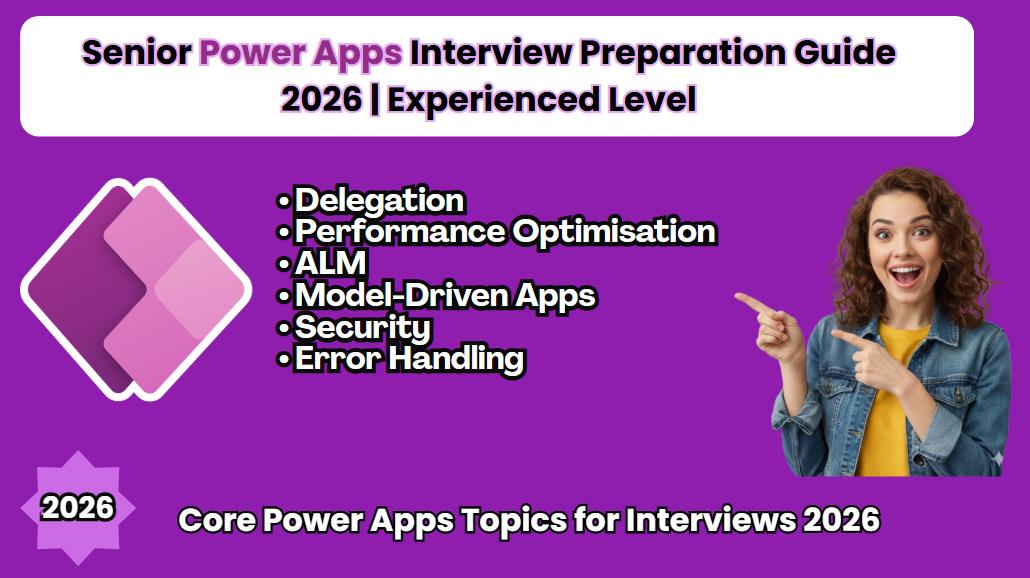
Senior Power Apps Interview Preparation Guide 2026 | Experienced Level
Power Apps Interview Questions 2026
Power Apps Canvas App Tutorial
Power Apps Model-Driven App Guide
Power Apps Copilot Features
Power Apps Code Apps 2026
Power Apps PCF Tutorial
Power Fx Examples
Power Apps Performance Optimization
Power Apps ALM Best Practices
Power Apps vs Model-Driven Apps
Power Apps Interview Questions 2026
Build a Complete Canvas App Step by Step
Power Apps Real Project Demo
Power Apps Mistakes Beginners Make
Thank You
What covered in youtube video
Senior Power Apps Interview Questions
🚀 Preparing for a Senior Power Apps Interview in 2026?
This video covers real-world, experienced-level Power Apps interview questions with practical, architect-level answers.
In this session, I break down one of the most important interview questions:
What is Dataverse?, explained from a Senior Developer perspective, not just theory but real implementation insights used in enterprise projects.
This video is part of my Senior Power Apps Interview Guide – 2026 (Experienced Level) designed specifically for developers working with Power Platform in production environments.
## 🔍 What You’ll Learn in This Video This is not a beginner overview. We focus on real-world concepts interviewers expect from experienced professionals:
✔ Deep understanding of Dataverse architecture
✔ Delegation concepts in Canvas Apps
✔ Performance optimization strategies
✔ Application Lifecycle Management (ALM) best practices
✔ Model-Driven Apps fundamentals
✔ Security architecture (roles, field-level security, business units)
✔ Advanced error handling patterns in Canvas Apps
✔ Real-world enterprise implementation insights
## 🎯 Who Should Watch? Experienced Power Apps Developers Power Platform Consultants Solution Architects Developers preparing for senior-level interviews in 2026 Professionals working with Dataverse, Canvas Apps, and Power Automate ## 💡 Why This Matters At the senior level, interviewers don’t just ask “What is Dataverse?” They expect you to explain: Why Dataverse over SharePoint or SQL How delegation impacts scalability How to design secure and scalable Power Platform solutions How to optimize performance in enterprise apps How ALM strategy works across environments This video helps you answer with confidence, clarity, and technical depth.
Power Apps Interview
Power Apps Interview
Power Apps Interview
Power Apps Interview
Power Apps Interview
Power Apps Interview
Power Apps Interview
Power Apps Interview
Power Apps Interview
Power Apps Interview
Power Apps Interview
Power Apps Interview
Power Apps Interview
Power Apps Interview